OPA Runner
A desktop application that opens and executes OPA archives in isolated containers.
What is OPA Runner?
OPA Runner is a cross-platform desktop application that brings OPA files to life. Double-click any .opa file to open it in a sandboxed environment where the bundled prompt, data assets, and session history are loaded and executed by an AI agent.
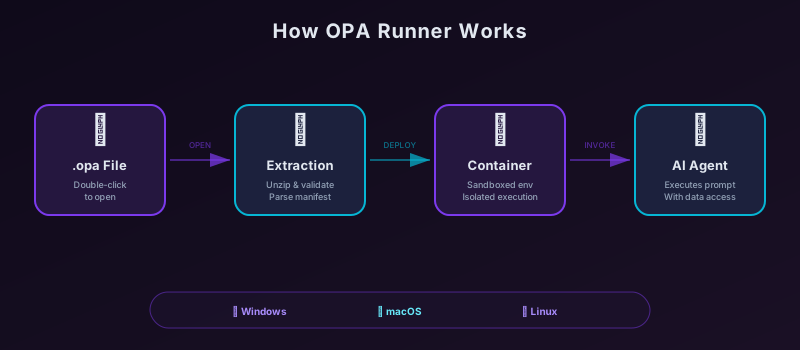
Platform Support
OPA Runner is available for all major operating systems:
| Platform | Architectures | Minimum Version |
|---|---|---|
| Windows | x86_64, ARM64 | Windows 7+ |
| macOS | Intel, Apple Silicon | macOS 10.14+ |
| Linux | x86_64, ARM64 | Modern distributions |
Getting Started
- Download OPA Runner for your platform from the releases page
- Install the application using the platform-appropriate installer
- Open any
.opafile — either double-click it or use File > Open from within the app - Run the bundled prompt and watch the AI agent execute the task
Creating OPA Files
To create .opa files that you can open with OPA Runner, use one of the official language libraries:
- Java —
opa-java - JavaScript —
opa-js - Python —
opa-archive - PHP —
opa-php - Ruby —
opa-ruby
Or build archives manually following the specification — they’re just ZIP files with a specific structure.